This week’s topic is going to be fun, because it can be about anything I want. So I decided to write about two of my favorite topics right now, an odd combo – Photography and Coding.

Actually, in a way they’re related. I mean, unless you happen to be using film, your camera (whether you’re using a high quality DSLR, a point-and-shoot, or even your phone) is a computer. And for a computer to work, it has to have code. I’m not going to go into a whole lot of detail, because I don’t want to scare anyone off with crazy code and text. Instead I’m going to talk about why I love to do these things, and why they interest me.
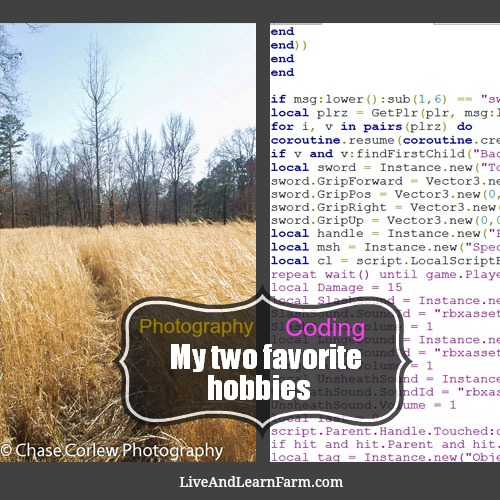
To start off, I want to talk about photography. I first became interested in photography when my mom registered me for an online photography class. At first, I thought I wouldn’t be any good at it. But once I started turning in my assignments, I realized that I actually have some skill in this area. Soon I began to take better and more intricate pictures. Believe it or not, taking a picture is only one half of the process I had to do before I presented my photographs in class. I also had to edit them. As time went on, I became better and better in this area too. Eventually, I was no longer taking pictures of blurry or unknown subjects. I was taking something that looked good and, combined with my skills in photo editing, my pictures were becoming great. I wasn’t quite the best in my class, not by far. But I finally knew how to take good pictures.
After I finished my year in photography class, I spent the summer helping my mom take pictures for stuff she was selling, and helped her edit photos. When the school year started back, I decided to take a course on Photoshop, because I didn’t feel my photo-editing skills were at their finest. I’m still taking that class to this day, and I still love it. Now I can not only edit photographs, I can actually create them, using some of the powerful tools provided by Photoshop. It even comes with a 3D file editor. But I’m beginning to sound like a used car salesman, so I’m going to move on.
The other thing that fascinates me is coding. Unlike photography, this term could be a bit confusing, so here’s a good definition I stumbled upon.
“Computer programming (often shortened to programming) is a process that leads from an original formulation of a computing problem to executable programs.” ~ Wikipedia
So basically, I like being able to tell a computer what to do, and for it to listen to my commands. The first computer language I started to learn was HTML, a basic website building language. I learned to edit strings (sentences, words, letters, etc.) and get images, but I never actually learned how to write code in detail, mostly just editing.
But after a year or so, I began to explore a new type of code. This new language, known as Lua (pronounced “Loo-uh”), is oriented around a three dimensional area, aka not just a flat web page, but a virtual reality. This language came easily to me because I knew what objects I was trying to change and move, and I could “see” it with my eyes.

Now, I’ve decided to move on to something more difficult. To learn this language, I’m taking another class on Lynda.com. Mom calls this hackschooling…
Hackschooling is a term coined by the homeschooling family of 13-year-old Logan LaPlante and explained in Logan’s speech at a TEDx event in February 2013. The concept is that education, like everything else, is open to being hacked or improved, not just by working within the current system, but by going outside the educational establishment to find better ways to accomplish the same goals
With this language you can’t see your progress with your eyes, you can only code and see the results when running the program. This language, called Python, is more practical than all other languages I’ve studied, and can be used across multiple platforms. An example of something that uses Python would be a smart phone app. If you’re viewing this on your phone, you may actually be running Python as you read this. Now, I won’t be using it to makes apps just yet, but I’m going to use it to make my Raspberry Pi work. A Raspberry Pi is a miniature computer that can be programmed to do a variety of things, from managing messages to lighting your house, it can do it all. I’m not quite sure what I’m going to program my Pi to do, but when I do decide I know I’ll make it something great. And, chances are, mom will make me write an article about it!
I hope you enjoyed learning a bit more about me, and that I’ve gotten you interested in coding and photography too! Until next week.
~ Chase


I really like your post! I am trying to improve my art, photography and photo editing to. My dad has me doing Photoshop tutorials at the moment, and I can’t wait to see what I can do once I understand the program… 🙂
Thanks for the links to photography and Photoshop courses! I would love to do both of those things. I loved reading about the things you’ve done to improve your blog. I’m intrigued by the Raspberry Pi computers, too, but coding isn’t really my “thing” so I don’t have one yet. My kids might like them though. #BB100